
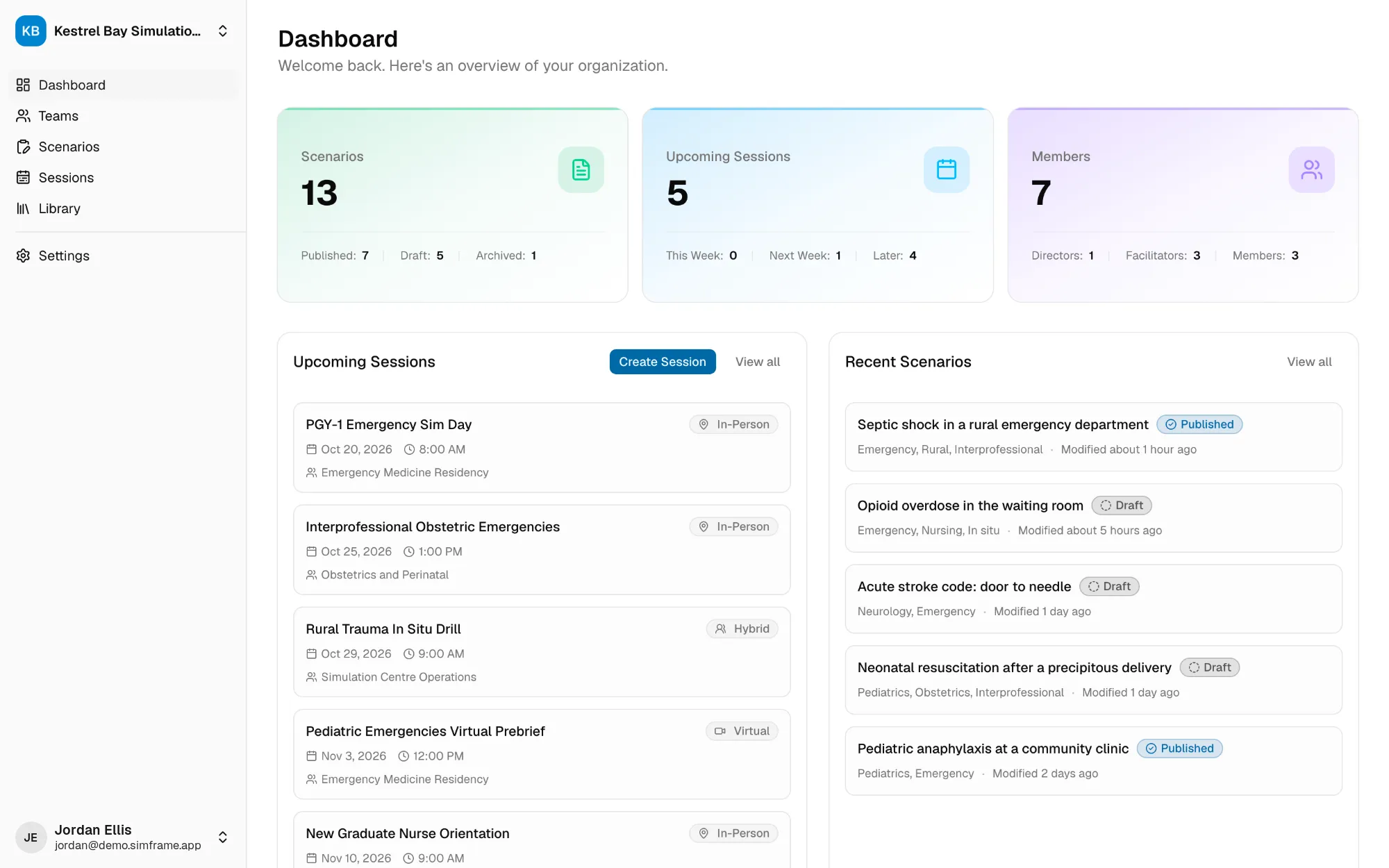
Step 1
Start from a template
Create a scenario from one of your program's templates, so every author begins with the same sections in the same order.

Draft and adapt cases with an AI assistant that works in your templates, then keep every scenario, prep file, and session plan in one shared library your team can search and run.
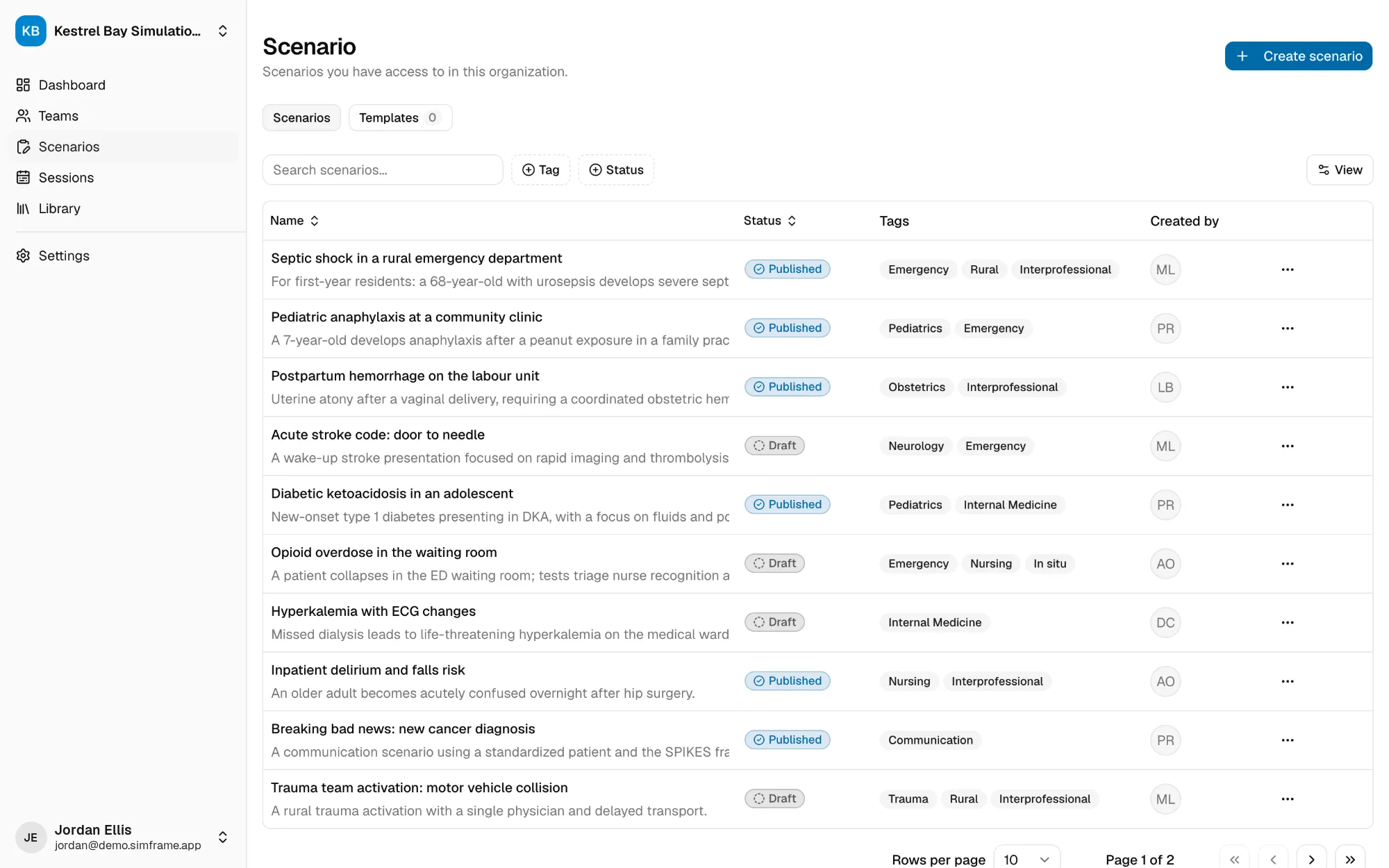
Your best scenarios should not be lost in someone's inbox.
Scenario creation with an assistant
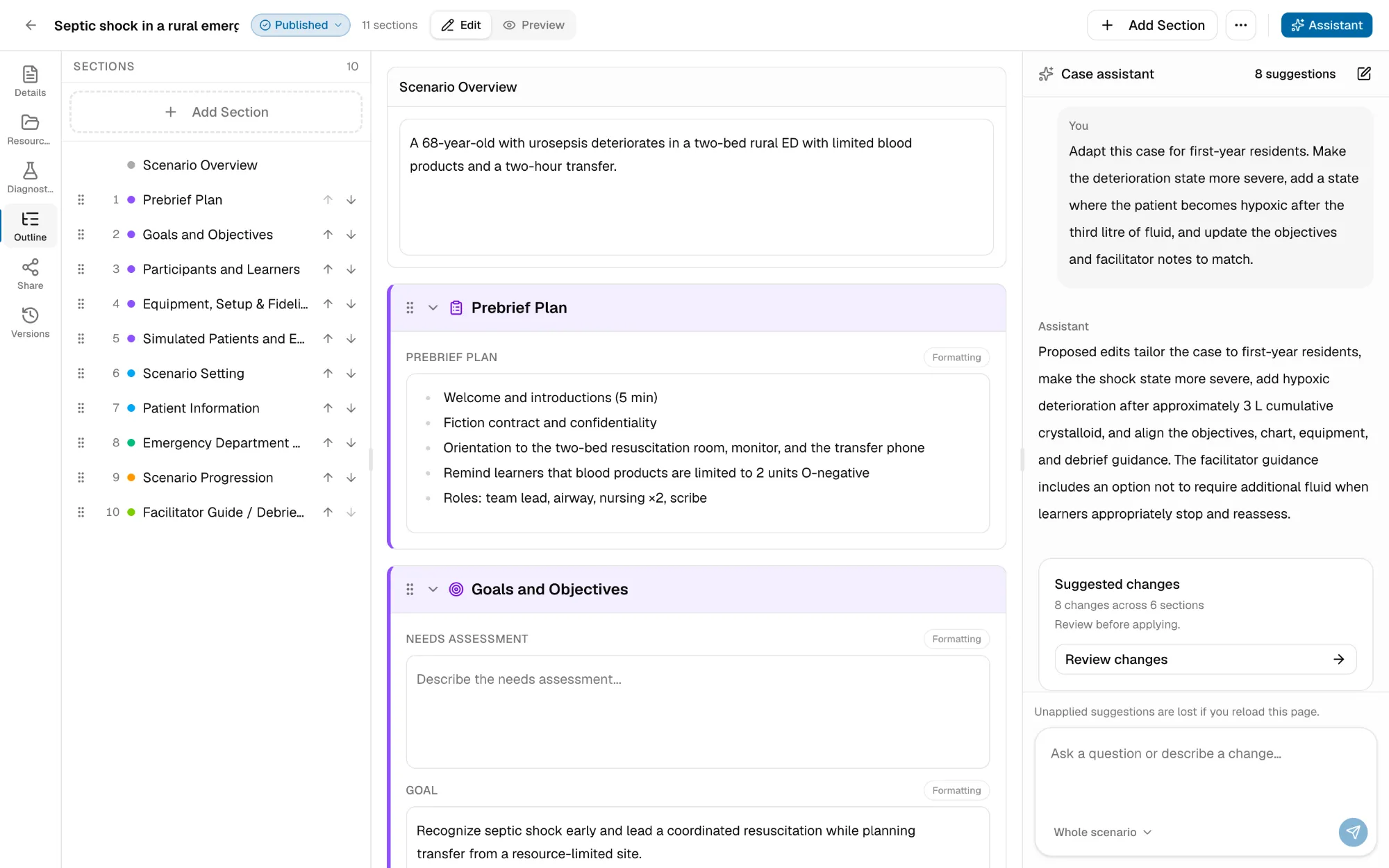
The assistant sits beside the scenario you are writing. It knows the sections and fields in front of you, so what it drafts lands in the right place instead of in a wall of text you have to copy across.
Create a scenario from one of your program's templates, so every author begins with the same sections in the same order.
Tell the assistant about the patient, the learner level, and the learning goals. Ask it to draft the whole scenario, fill in what is missing, or review what you have for consistency.
Suggestions are shown against what is already in the scenario. Apply them all at once, one section at a time, or one field at a time. Discard anything you do not want.
You stay the author.
Assistant content is a draft for a qualified educator to review. Do not enter identifiable patient information.
One shared workspace
Find, duplicate, and adapt your program's scenarios instead of rebuilding them.
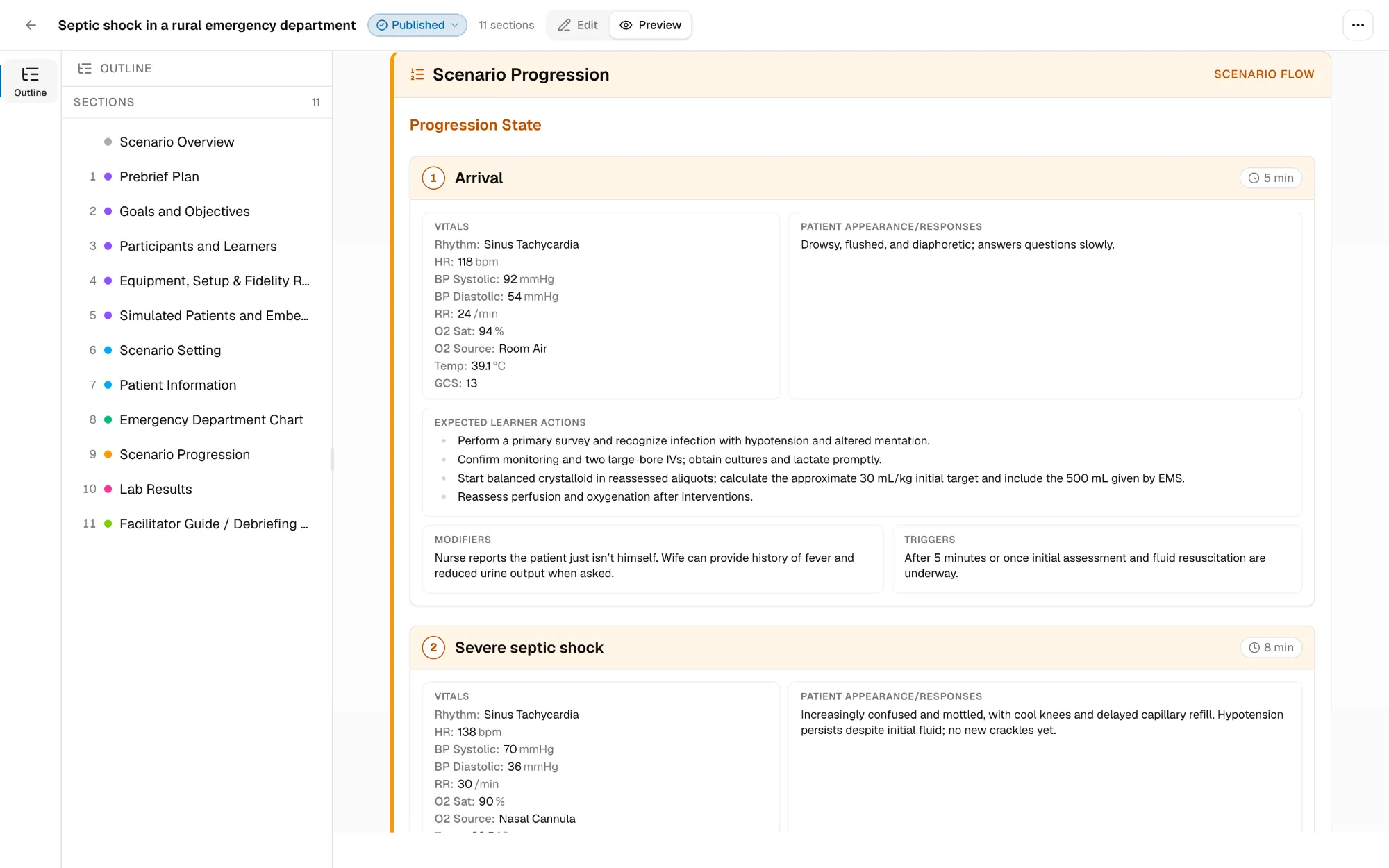
Sections built for simulation, with live preview, PDF export, and version history.
Plan a session and send participants one link with their prep.
SimFrame Alpha
Scenario creation, the AI assistant, the scenario library, and sessions are all working today. We now need more simulation programs to use them in real workflows: simulation centres, residency and health-professions programs, rural and regional teams, and interprofessional groups.
Alpha partners build or bring a scenario, run it through SimFrame, and tell us what works, what is missing, and what creates unnecessary friction.
There will be rough edges. That is the purpose of the alpha, and why your experience can have a meaningful influence on what SimFrame becomes.
Applying does not commit your organization to purchasing or implementing SimFrame.
Tell us a little about your program and we'll be in touch.
FAQ
Any healthcare simulation program that writes, adapts, or manages scenarios, from a single rural team or residency program to a large simulation centre.
You use SimFrame with real or newly developed scenarios and tell us about usability, missing capabilities, and how it fits your current work. The level of participation can be discussed with each program.
No. SimFrame is in active development. Expect incomplete features and occasional changes, including to the AI assistant.
No. The assistant proposes changes and you decide which to apply; nothing is added to a scenario on its own. Educators remain responsible for clinical accuracy, educational design, local policy alignment, and final approval.
No. Identifiable patient information should not be entered into SimFrame, including the AI assistant. Use fictional, de-identified, or appropriately authorized information in accordance with your organization’s policies.
Join the alpha, build a scenario with the assistant, and tell us what your program needs next.